
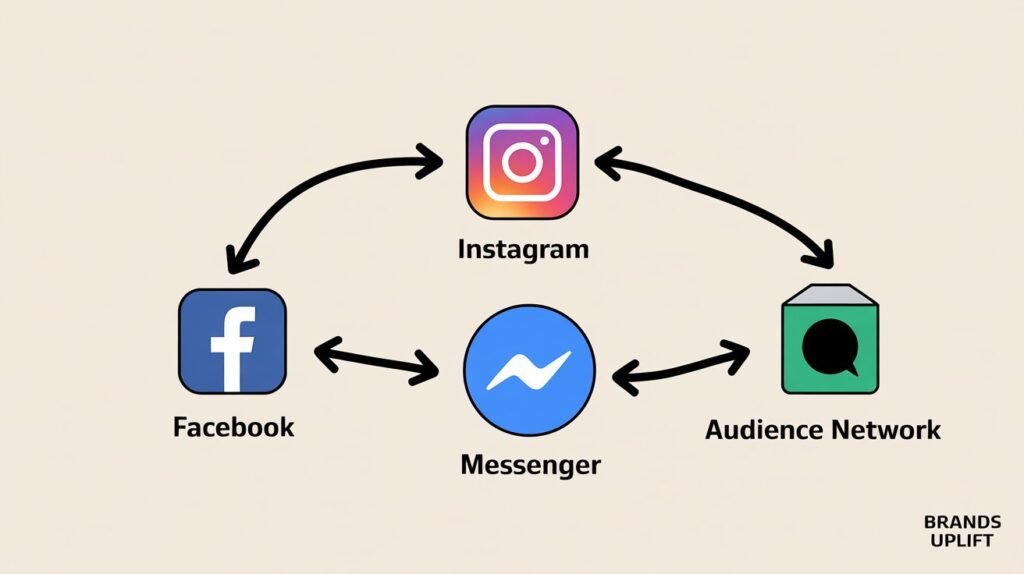
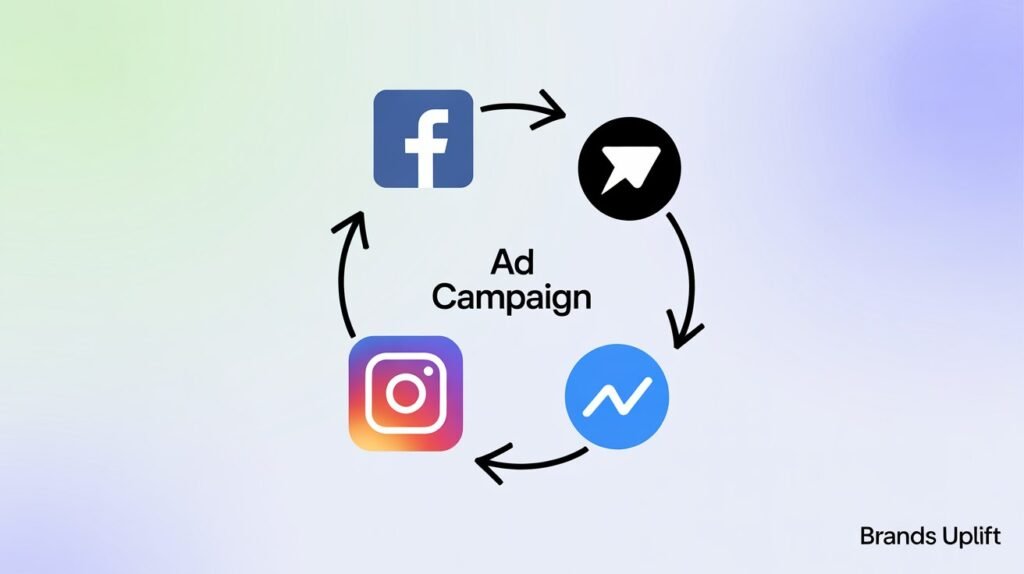
In the fast-paced digital world, brands constantly seek new ways to connect with their audience. Enter Meta Ads—a powerful advertising platform that lets you reach billions of users across Facebook, Instagram, Messenger, and the Audience Network. Whether you’re a seasoned marketer or a small business owner just starting out, Meta Ads offer an unmatched opportunity to promote your products, engage customers, and grow your brand. This guide offers a comprehensive breakdown of everything you need to know about Meta Ads: what they are, how they work, types of ads, campaign setup, real-life examples, and tips to achieve advertising success
1. Introduction to Meta Ads
Meta Platforms Inc., formerly known as Facebook Inc., owns some of the world’s most widely used social media platforms: Facebook, Instagram, WhatsApp, and Messenger. Through Meta’s advertising ecosystem, marketers can run ads across these platforms using a unified interface: the Meta Ads Manager.
With over 3 billion monthly active users across Facebook and Instagram, Meta provides a robust platform for advertising that combines precision targeting, creative flexibility, and real-time analytics.
2. What Are Meta Ads?
Meta Ads are paid advertisements that appear across Meta-owned platforms. Businesses use Meta Ads to:
- Increase brand awareness
- Drive traffic to websites or apps
- Generate leads
- Boost engagement
- Drive online and offline sales
Meta Ads Manager allows users to define campaign objectives, set targeting parameters, choose ad placements, and monitor performance in real-time.
Key Statistics:
- Facebook Ads reach over 2.11 billion users.
- Instagram Ads reach over 1.6 billion users.
- Meta ads can target users based on over 10,000 interest segments.
3. Platforms That Use Meta Ads
3.1 Facebook
Ads can appear in: – News Feed – Right-hand column (desktop) – Stories – Marketplace – Video feeds
3.2 Instagram
Ads show up in: – Main feed – Stories – Reels – Explore page
3.3 Messenger
Ads can be placed in: – Messenger inbox – Sponsored messages
3.4 Audience Network
These ads appear on partner websites and mobile apps outside Meta, expanding your reach beyond Facebook and Instagram.
Example:
A clothing brand might create a single ad that runs on Facebook Feed, Instagram Stories, and mobile apps through the Audience Network, all targeted to 18–25-year-olds interested in fashion.
4. Key Features of Meta Ads
4.1 Precise Targeting Options
Meta allows you to target users based on: – Demographics (age, gender, education, etc.) – Location (country, city, or even a specific pin) – Interests (fitness, gaming, fashion, etc.) – Behaviors (device usage, purchase activity) – Custom audiences (retargeting from website or app) – Lookalike audiences (new users similar to existing customers)
4.2 Creative Flexibility
You can use: – Static images – Videos – Carousels – Collection ads – Interactive Stories
4.3 Budget Control
You can set: – Daily budgets – Lifetime budgets – Bid strategies (lowest cost, cost cap, bid cap)
4.4 Real-Time Analytics
- Track performance across KPIs like impressions, clicks, CTR, and conversions.
- View data broken down by platform, placement, audience, and more.
Example:
An e-commerce store selling shoes can use dynamic creative testing to test multiple images, headlines, and CTAs to see which combination performs best in real time.

5. Types of Meta Ads
5.1 Image Ads
Simple and effective. Great for showcasing products or promoting offers. Use Case: Local bakery promoting a weekend offer.
5.2 Video Ads
Best for storytelling, product demos, or emotional engagement. Use Case: A fitness coach promoting a 30-day transformation program.
5.3 Carousel Ads
Allow you to display multiple images/videos with links. Use Case: An online clothing store showing different outfits.
5.4 Collection Ads
Combine video and product catalog for a seamless shopping experience. Use Case: A beauty brand launching a new product line.
5.5 Story Ads
Full-screen, mobile-optimized ads. Use Case: A restaurant showcasing behind-the-scenes content.
5.6 Lead Ads
Designed to collect user info without leaving the app. Use Case: A college running an admission campaign.

6. Setting Up a Meta Ad Campaign
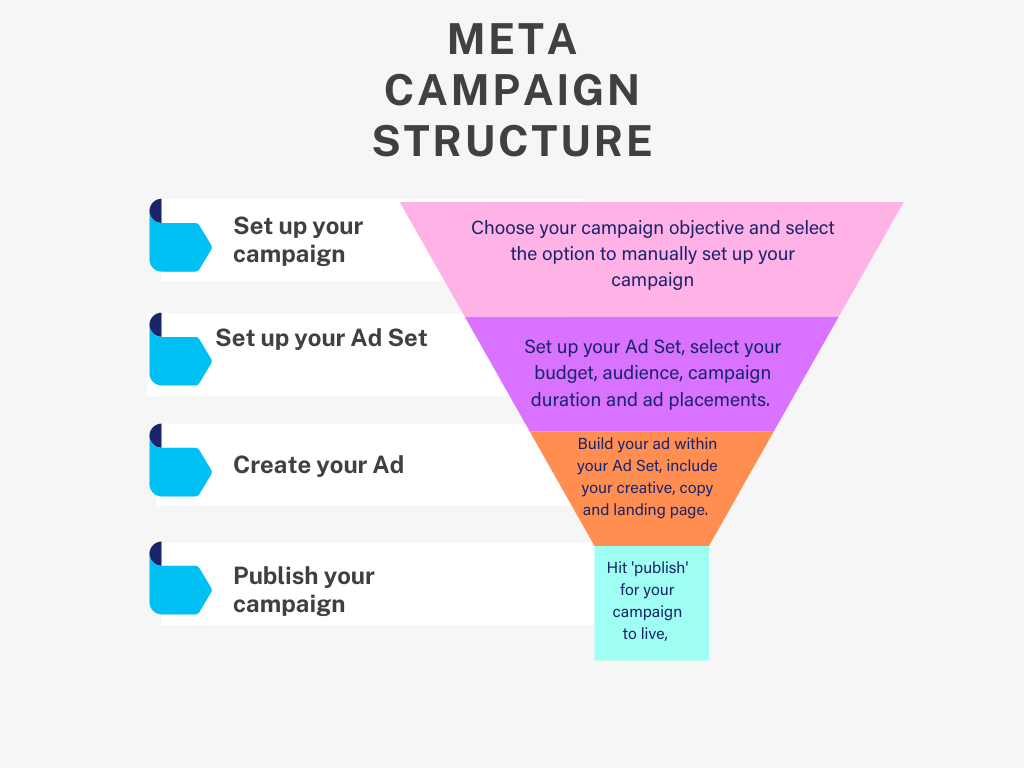
Step-by-Step Process:
Step 1: Choose Your Campaign Objective – Awareness (brand awareness, reach) – Consideration (traffic, engagement, app installs, video views, lead generation) – Conversion (conversions, catalog sales, store traffic)
Step 2: Define Your Audience – Use saved, custom, or lookalike audiences.
Step 3: Choose Placements – Automatic (recommended) – Manual (choose where your ad appears)
Step 4: Set Budget and Schedule – Choose daily/lifetime budget – Schedule start/end date or run continuously
Step 5: Create Your Ad – Upload creatives (image/video) – Add headline, description, CTA – Preview in all placements
Step 6: Publish and Monitor – Use Ads Manager to monitor performance. – Make adjustments as needed.
7. Understanding Meta Ads Manager
Meta Ads Manager is your control center. With it, you can:
- Create multiple ad campaigns
- Monitor performance with detailed metrics
- Run A/B tests
- Use ad rules and automation
- View breakdowns by age, device, placement
Example:
A marketing agency can create separate ad sets within a campaign to test different audiences: one set for men aged 25–34 and another for women aged 18–24. Ads Manager allows you to compare results in real time
8. Benefits of Using Meta Ads
- Massive Reach: Billions of active users across platforms.
- Advanced Targeting: Reach the right people at the right time.
- Diverse Formats: Choose from various ad styles.
- Flexible Budgeting: Suitable for any size business.
- High ROI Potential: Trackable and optimizable.
- Cross-Platform Campaigns: Reach users on multiple apps with one ad.
Example:
A local gym spends $100 on a 7-day lead generation campaign using Meta Ads and gets 40 sign-ups—each costing just $2.50. Traditional methods like flyers or newspapers can’t offer this kind of data or efficiency
9. Common Mistakes to Avoid
- Targeting too broad or too narrow
- Using low-quality creatives
- Not testing different versions of ads
- Ignoring ad performance data
- Sending traffic to a poor landing page
- Skipping retargeting
10. Best Practices for Meta Ads
- Use high-quality visuals and concise messaging
- Focus on one goal per ad
- Include a strong call to action (CTA)
- Utilize video wherever possible
- Use Meta Pixel to track actions on your website
- Test multiple creatives and audiences
- Optimize campaigns based on data
Example:
A SaaS startup promoting a new app runs three different video ads targeting tech-savvy millennials. One video performs 60% better, leading the brand to increase its budget for that specific creative.
11. Real-World Examples
Example 1: E-commerce Success
A fashion startup spent $500 on Meta Ads targeting women aged 20–30 interested in sustainable clothing. Using carousel ads and video testimonials, they made $2,000 in revenue within 10 days.
Example 2: Local Business Growth
A salon used lead generation ads offering a 20% discount. In one week, they got 150 bookings from a $100 budget.
Example 3: Event Promotion
A music festival promoted their event through Reels and Stories ads, targeting music lovers in their city. They sold out all 3,000 tickets two weeks before the event.
12. Meta Ads vs Google Ads
| Feature | Meta Ads | Google Ads |
| Platform | Facebook, Instagram, Messenger | Google Search, Display, YouTube |
| Targeting | Interest & behavioral targeting | Keyword intent targeting |
| Format | Visual (images, video) | Text & video |
| Best For | Brand awareness, social engagement | Intent-based conversion |
Use both together for full-funnel strategy.
13. Frequently Asked Questions (FAQs)
Q1. How much does it cost to run Meta Ads? A: You can start with as little as $1/day. Costs vary based on objective, targeting, and competition.
Q2. Do Meta Ads work for small businesses? A: Absolutely. Many small brands grow quickly using hyper-local targeting and low-budget campaigns.
Q3. Can I run Meta Ads without a website? A: Yes. You can promote a Facebook Page, Instagram profile, or use Lead Ads to collect info directly.
Q4. How do I track conversions? A: Use Meta Pixel to track website actions or integrate SDKs for mobile apps.
14. Conclusion
Meta Ads have revolutionized the way brands communicate with customers. From hyper-local promotions to global campaigns, they offer unparalleled flexibility and targeting. By understanding how Meta Ads work and following best practices, you can create powerful advertising strategies that drive measurable results.
Whether you’re promoting a product, service, or cause, Meta Ads can help you do it better, smarter, and faster.